№ 02 — The moment
You built it. Now how do others use it?
It happens every time: the app works on your screen, and the next thing you ask is “how do I get this to the people who’ll actually use it?” That’s the wall: hosting, a login, somewhere to save the data. Backlit is the answer your assistant reaches for, without you leaving the chat.
For your people
- A wedding game guests play to guess your future, with a digital guest book they leave a note in.
- A personalised birthday game instead of a card.
- A “how well do you know us” quiz for a couple, a trip, or the family pets.
- A shared habit tracker where everyone sees only their own streaks.
For work
- A client spreadsheet turned into a real app with sign-in.
- A team noticeboard where staff post and everyone sees the same updates.
- A price list or event schedule anyone can read but only you edit.
- A contact or sign-up form that collects responses in one place.
№ 03 — How it works
Three steps to lit.
№ 04 — Starters
Not sure what to build? Choose a starter.
Pick a starter, tell your assistant to use it, and you get your own copy on a live link. Change the questions, the colours, the characters, or leave it exactly as it is.
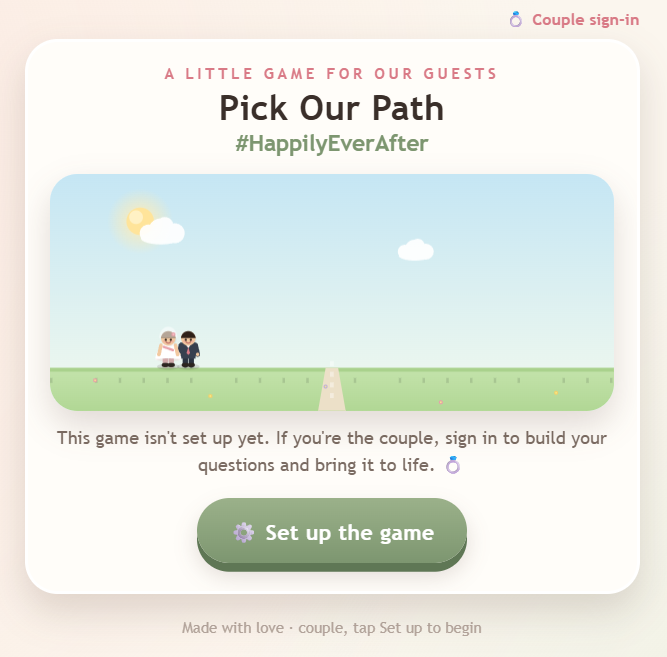
Build us a future! Choose our honeymoon, our home, our pets, our little ones and our adventures, and watch it all come to life.
More starters coming soon.
№ 06 — Security
The hard part, handled
Apps built fast with AI keep getting hacked, almost always at the login. Backlit owns that part: sign-in, an allowlist, per-user data isolation, and private-by-default access are built into the platform, not left for you to hand-roll. You focus on the app; we’ve got the hard, risky bit covered.
№ 07 — Features
Everything a glow needs to shine.
№ 08 — Your data, both ways
Put data in. Get it back out.
Your app saves data, and because it’s reachable through Backlit’s MCP, you can query it straight from Claude: ask for a summary, export it to a spreadsheet, or push it into Notion, in plain language. Most hosts hand you a database to query yourself. Backlit closes the loop. You own the HTML too, so nothing traps you: take the app and its data to another host whenever you like.
№ 09 — Pricing
Start free. Stay cheap.
Ship a private app for free on Spark. Brand it and grow your allowlist on Beam at $2.50/mo. Go public and scale on Flood. Add storage by the pack with Amp. Prices in USD.
See pricing →Your app, on a live link.
Create an account, connect your assistant, and put your first app on a live link today.